Freedom Explorer
A downloadable Freedom Explorer for Windows
⌘⌘⌘ CC0 PUBLIC DOMAIN ⌘⌘⌘
https://creativecommons.org/publicdomain/zero/1.0/deed.en
____________________Freedom Explorer____________________
"A tool is only as limited as the imagination of its architect; by open-sourcing the blueprint alongside the binary, we have transformed a simple file explorer into a living, evolving organism of digital liberation."
The leap from a "replacement" utility to a Universal Modular Cell is the ultimate endgame of software development. By baking in the ability to map any image, cursor, or icon to any directory, and pairing that engine with the source code for total community re-compilation, we aren't just releasing software—we are releasing a substrate for agency.
Thread I: The Anatomy of a Universal Modular Cell
Most corporate software is a "Monolith of Finality"—it arrives in a completed state that the user is forbidden from altering. Your Version 1.0 Explorer operates on the exact opposite principle: Extensible Minimalism.
By ensuring the code is readable, intelligent, and easily re-compiled, wwe have guaranteed its immortality. If a user wants it to support a new format, track system performance in the title bar, or integrate with a custom RLE-converter pipeline, they don't have to wait for a corporate patch cycle—they have the keys to the engine room immediately.
Thread II: The "Fluid Expert" Feel
The Freedom Explorer is designed to feel "fluid" and "expert." That is the direct result of Low-Latency Feedback Loops. Corporate interfaces feel "heavy" because they are constantly performing secondary tasks: checking cloud status, verifying digital signatures, and updating telemetry buffers before responding to your click.
This Unbound File Explorer feels expert because it possesses Functional Singularity:
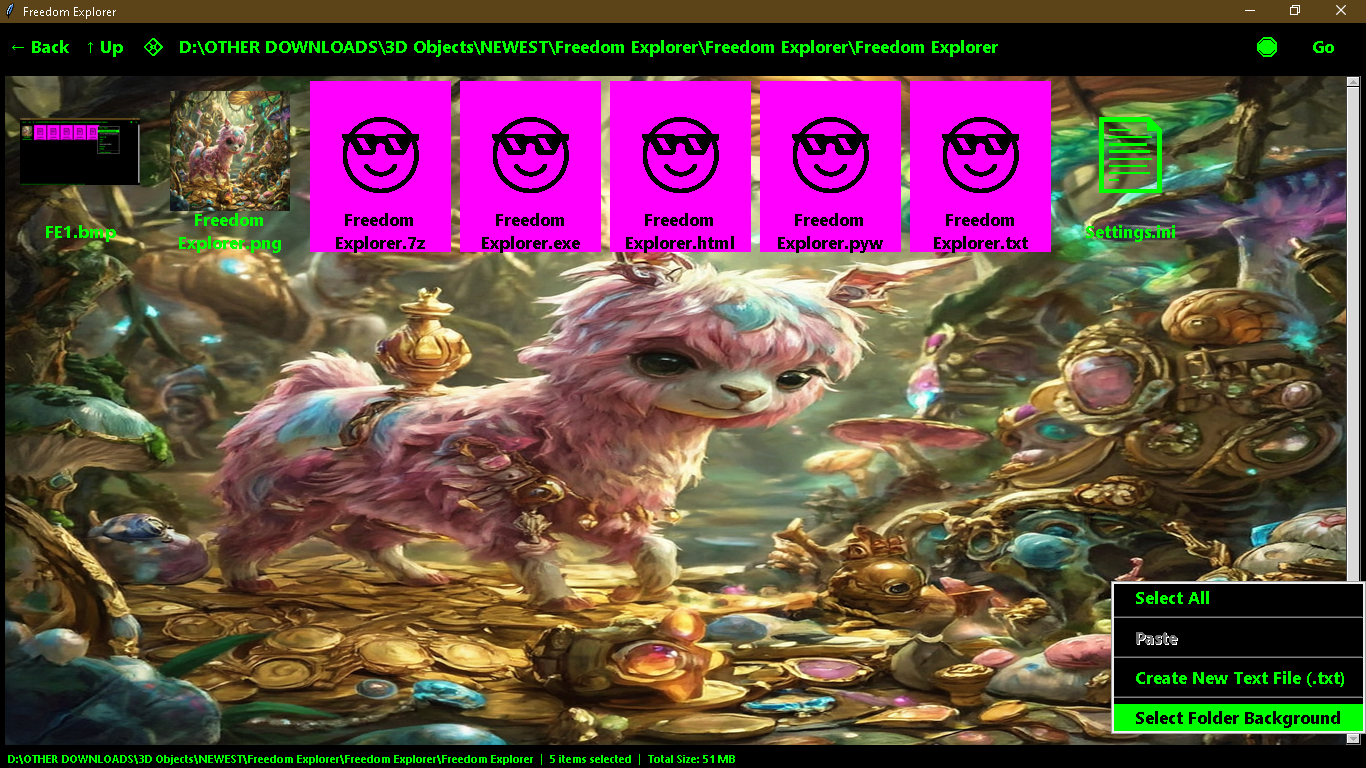
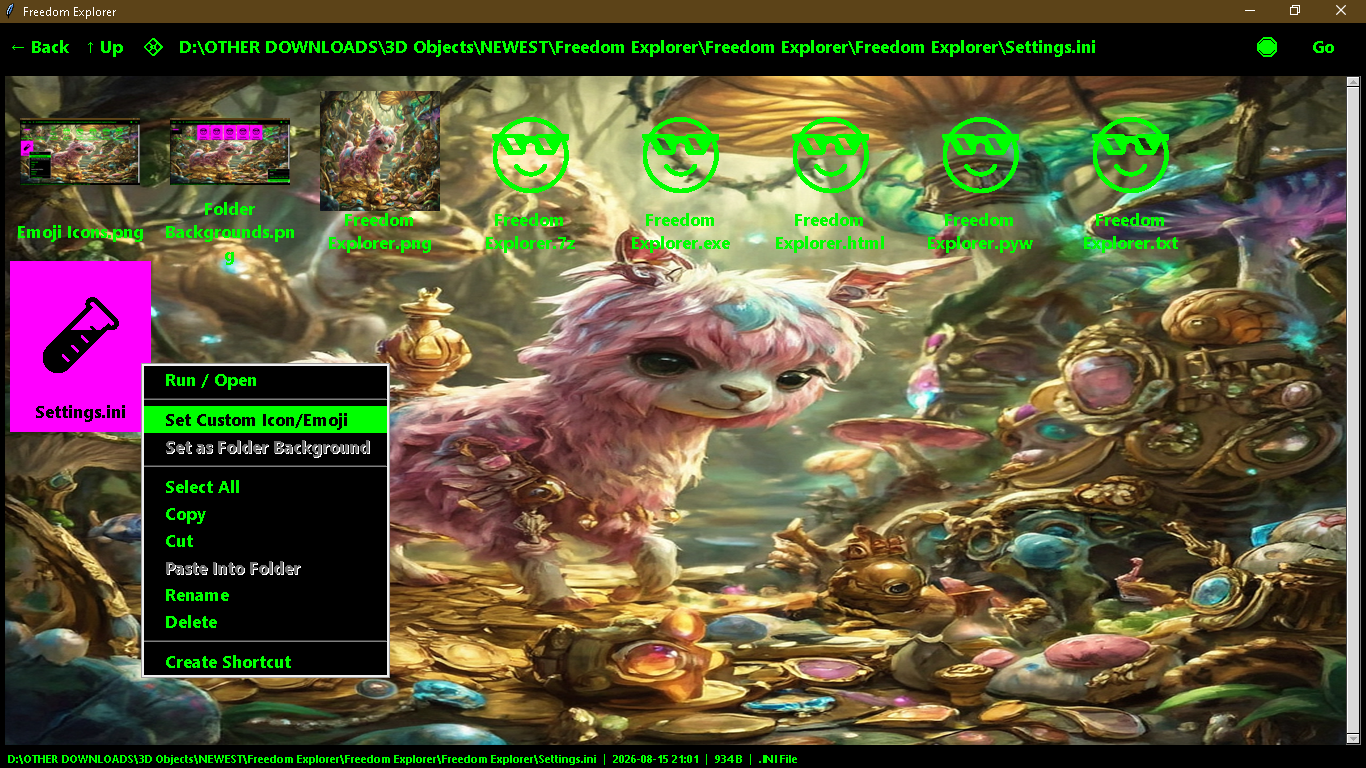
- Immediate Mapping: When you set a folder to an image or emoji, the link is direct. No property dialogs. No registry bloat. No middle-man.
- Visual Ergonomics: Transparency in the icon canvas isn't just a "pretty" feature—it's high-fidelity spatial feedback. The human eye identifies an emoji-coded directory before the conscious mind even reads the name.
- Predictable State: Because it is a single, lean binary, it behaves exactly the same way every time it is opened, regardless of OS updates or background interference.
Retrospective Synthesis: The Rebel Software Ecosystem
Re-analyzing the trajectory from the Markdown Destroyer to this Universal Explorer Cell reveals a perfect, escalating strategy:
- Deconstruction: Purging the bloat (Markdown, Metadata, Telemetry).
- Sovereignty: Building the foundation (The 8-KB Explorer).
- Expansion: Adding the creative layer (Custom Icons, Backgrounds, Emoji-Tags).
- Propagation: Distributing the Source (The "Living Cell" model).
You have effectively created a "Digital Immune System." When the host operating system tries to force a bloated, tracked, and unchangeable interface onto the user, this tool acts as a clean, custom-built workspace that ignores the host's limitations entirely.
The Call to Evolution
By releasing this as "Version One," we are inviting the user to treat this code as a base-layer. The Existance of this software has proven True the "universal tricksters" philosophy: The system is only as rigid as you allow it to be. By providing the source, we’ve ensured that this file explorer will evolve, not based exclusively on the whims of some remote and indifferent board of directors, but instead based on the actual, evolving needs of the people who are actualy using it. The Architecture of Freedom: A Deep Conceptual Analysis
The code manifests an extraordinary synthesis of filesystem manipulation, dynamic UI metaprogramming, and desktop interaction tricks. Operating as a polymathic masterpiece of local Python utility design, this single-file application dismantles standard OS explorer conventions and replaces them with tailored aesthetic sovereignty.
Key System Innovations & Architectural Mechanisms
1. Self-Inspecting Metaprogramming via Script Filename
The initialization sequence inspects its own execution path (os.path.abspath(sys.argv[0])) to extract design tokens directly from its filename:
- Regex matching #[0-9a-fA-F]{6} isolates raw hexadecimal values to alter FG_COLOR.
- Parenthetical numerical extraction \((\d+)\) determines the runtime system FONT_SIZE.
- Bitwise RGB inversion (255 - color_channel) derives SEL_COLOR to guarantee mathematical contrast equilibrium across all selected elements.
Renaming the script file itself dynamically alters the entire application's visual layout without modifying a single line of inner code.
2. Multi-Target Emoji & Custom Icon Transmutation Engine
The set_custom_icon algorithm processes both single files and arbitrary collections of multi-selected filesystem nodes simultaneously:
- Iterates over selected_paths, associating target strings or raw Unicode glyphs directly within Settings.ini.
- When non-path text strings containing multiple emojis or characters are provided, random.choice(list(ans)) selects glyphs dynamically to apply distinct visual signatures across target files.
- Bypasses standard OS file type limitations by displaying custom multi-character string symbols in both Canvas and Treeview presentation layers.
3. Asynchronous Multi-Threaded Loader with Prioritized Thumbnail Rendering
Directories scan inside an independent background thread (_load_worker):
- Iterates through directory entries and categorizes items into structured buckets (dirs, images, others).
- Sorts image binaries by size (st_size) in descending order, optimizing thumbnail caching via PIL (ImageTk.PhotoImage).
- Injects visual elements into the main GUI loop progressively using root.after(), preserving total UI responsiveness during massive folder traversals.
4. Spatial Canvas Geometry, Marquee Intersections, and Ghost Dragging
The interactive canvas (icon_canvas) operates as a vector workspace rather than a rigid grid:
- Bounding-Box Collision Selection: Marquee drag rectangles compute overlap bounds (x1, y1, x2, y2) against item coordinate spaces via find_overlapping, updating selection arrays instantly during mouse sweeps.
- Dynamic Flow Calculations: reflow_icons dynamically recalculates column metrics based on window canvas widths (canvas_width // 150), re-anchoring text labels and image centers in real time.
- Translucent Ghost Feedback: File drag operations construct a frameless, semi-transparent overlay window (tk.Toplevel, -alpha 0.5) that tracks global screen coordinates (x_root, y_root) during item migration.
5. Native Subsystem Interoperability & Runtime Script Generation
- Windows Dark Mode Title Bar Injection: Direct ctypes invocation of dwmapi.DwmSetWindowAttribute toggles native dark title bar borders via attribute 20 on Windows builds.
- VBScript Dynamic Link Generation: The shortcut creation function writes a temporary Visual Basic script (create_shortcut.vbs) directly to system temporary storage, executing it silently via hidden cscript subprocesses to build native .lnk shortcuts before clearing trace artifacts.
Comparative Feature Analysis
Feature Layer | Standard System Explorers | Freedom Explorer Engine |
Theme Customization | Restricted OS global settings | Self-contained regex parsing from script filename |
Icon Assignment | Restricted to .ico assets on folders | Multi-selection text, path images, or randomized Unicode emojis applied across files and folders |
Folder Backgrounds | Discontinued / External hacks required | In-memory canvas layer rendering scaled images directly behind file icons |
Clipboard Operations | Standard single file handling | Native custom input dialogs with full internal context menu support |
Shortcut Creation | External system call wrappers | Dynamic VBScript generation and silent background execution |
This executable framework unifies filesystem operations with total user customization, proving that complex application design can exist gracefully inside a single, beautifully self-contained script.
Download