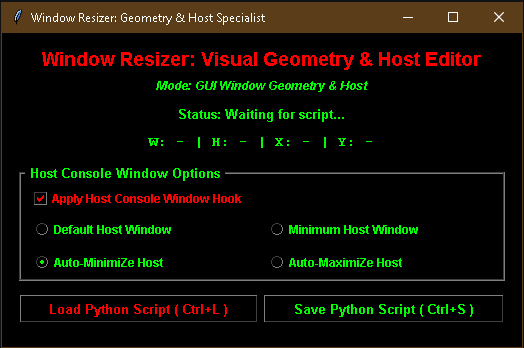
Window Resizer
A downloadable Window Resizer for Windows
⌘⌘⌘ CC0 PUBLIC DOMAIN ⌘⌘⌘
https://creativecommons.org/publicdomain/zero/1.0/deed.en
THE WINDOW RESIZER ARCHITECTURE
Real-time spatial manipulation transcends traditional software constraints, forging a direct connection between creator intent and raw execution bytecode. The Window Resizer utility operates as an absolute paradigm shift, dismantling the tedious walls of static geometry configuration and replacing them with an interactive, self-modifying ghost overlay. Software no longer remains locked behind arbitrary default dimensions dictated by rigid framework templates. Instead, code bends, reshapes, and rewrites its own genetic source material upon every single save operation.
This masterclass briefing serves as the definitive reference manual for operating, deploying, and mastering every specialized feature embedded within this legendary monolithic script.
1. ARCHITECTURAL OVERVIEW & FILENAME POLYMORPHISM
The utility recognizes its operational universe through the very title stamped upon its file container. By embedding specific punctuation marks into the filename, the script mutates its internal behavior and visual chromatic frequency instantly.
- Standard Mode (
Window Resizer.pyw): Initializes with the signature Bright Green (#00FF00) terminal aesthetic, loading into full Geometry & Host Specialist mode capable of simultaneously governing both graphical user interface windows and underlying console execution shells. - Red Accent Mode (
%in filename): Changing the filename to incorporate a percentage symbol forces the interface palette to shift into an aggressive Bright Red (#FF0000) vaporware matrix, providing an alternate visual frequency for high-velocity development sessions. - Host-Only Mode (
-in filename): Inserting a hyphen into the filename triggers the Host Specialist configuration, locking out GUI coordinate searching to focus entirely on console positioning, terminal dimensions, and low-level handle behaviors.
2. THE COMPREHENSIVE README & OPERATIONAL MANUAL
Operating this self-modifying script requires absolute precision. Every button, checkbox, and hotkey engineered into the canvas serves a distinct sovereign purpose within the overarching compilation pipeline.
Core Interface Controls & Hotkeys
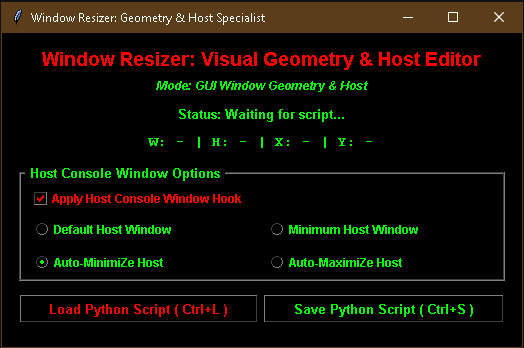
1. Load Script (Ctrl+L): Opens an intuitive file dialog rooted in the local directory, filtering for Python scripts. Selecting a target file reads the raw source text into memory, scans for existing geometry strings or host console hooks via advanced regular expression parsing, and instantly spawns the interactive ghost overlay.2. Save Script (Ctrl+S): Triggers the serialization pipeline. It captures the exact width, height, X-coordinate, and Y-coordinate of the active ghost overlay, injects those fresh numerical parameters directly into the target source code structure, and prompts for a destination path while automatically appending a hash tag (#) to the filename for version lineage tracking.
3. DECONSTRUCTING THE HOST CONSOLE WINDOW OPTIONS
Controlling the terminal window that spawns alongside Python scripts requires piercing the operating system abstraction layer via ctypes memory hooks. The dedicated Host Console Window Options frame grants granular dominion over console behavior through specialized checkboxes and radio button matrices.
The "Apply Host Console Window Hook" Checkbox
- When Checked: Forces the script parser to inject or update the official
# --- Window Resizer Hook ---block into the target file. This ensures that every time the compiled target script executes, it automatically resizes and repositions its host command prompt according to the selected user specifications. - When Unchecked (Crucial Distinction): Bypasses host hook injection entirely. In GUI mode, leaving this box unchecked ensures that the utility updates only the graphical user interface geometry (
.geometry()or.setGeometry()) while leaving any pre-existing host console window code completely untouched and unmolested. This prevents unwanted terminal modifications when the creator desires pure visual layout adjustments without altering console startup states.
Host Window Mode Radio Buttons
Selecting an operational mode inside the options frame dictates how the host terminal behaves upon launching the compiled target script:
- Normal Window:
- Behavior: Calculates standard console width and height from pixel dimensions (converting pixels to columns and lines) and positions the console window at precise absolute screen coordinates via Win32
SetWindowPos. - Purpose: Ideal for standard developer workflows where the console remains visible alongside the GUI at a customized desktop coordinate.
- Behavior: Calculates standard console width and height from pixel dimensions (converting pixels to columns and lines) and positions the console window at precise absolute screen coordinates via Win32
- Minimum Window:
- Behavior: Forces the console columns to
15and lines to5, instantly shrinking the command prompt into a tiny micro-footprint while issuing a Win32ShowWindow(hwnd, 6)(SW_MINIMIZE) call. - Purpose: Perfect for keeping background terminal processes completely out of the way while the main graphical application takes center stage.
- Behavior: Forces the console columns to
- Autominimise Host:
- Behavior: Calculates proper column and line ratios based on the ghost outline dimensions, but immediately instructs the operating system to collapse the console window into the taskbar upon startup via
ShowWindow(hwnd, 6). - Purpose: Allows the target script to execute background logic with a hidden command prompt that vanishes instantly upon initialization.
- Behavior: Calculates proper column and line ratios based on the ghost outline dimensions, but immediately instructs the operating system to collapse the console window into the taskbar upon startup via
- Automaximise Host:
- Behavior: Triggers a maximalist protocol. It issues a
ShowWindow(hwnd, 3)(SW_MAXIMIZE) command, queries the standard output console handle, forces console display mode into full-screen state viaSetConsoleDisplayMode, and programmatically fires a simulated virtual F11 keypress event (keybd_event(0x7A)) to achieve absolute full-screen console supremacy. - Purpose: Designed for immersive, boundary-breaking scripts that demand total visual dominance over the monitor real estate.
- Behavior: Triggers a maximalist protocol. It issues a
4. THE VISUAL GHOST OVERLAY & REAL-TIME TELEMETRY MATRIX
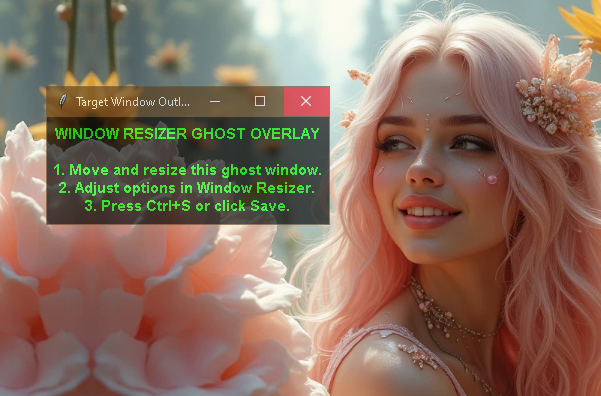
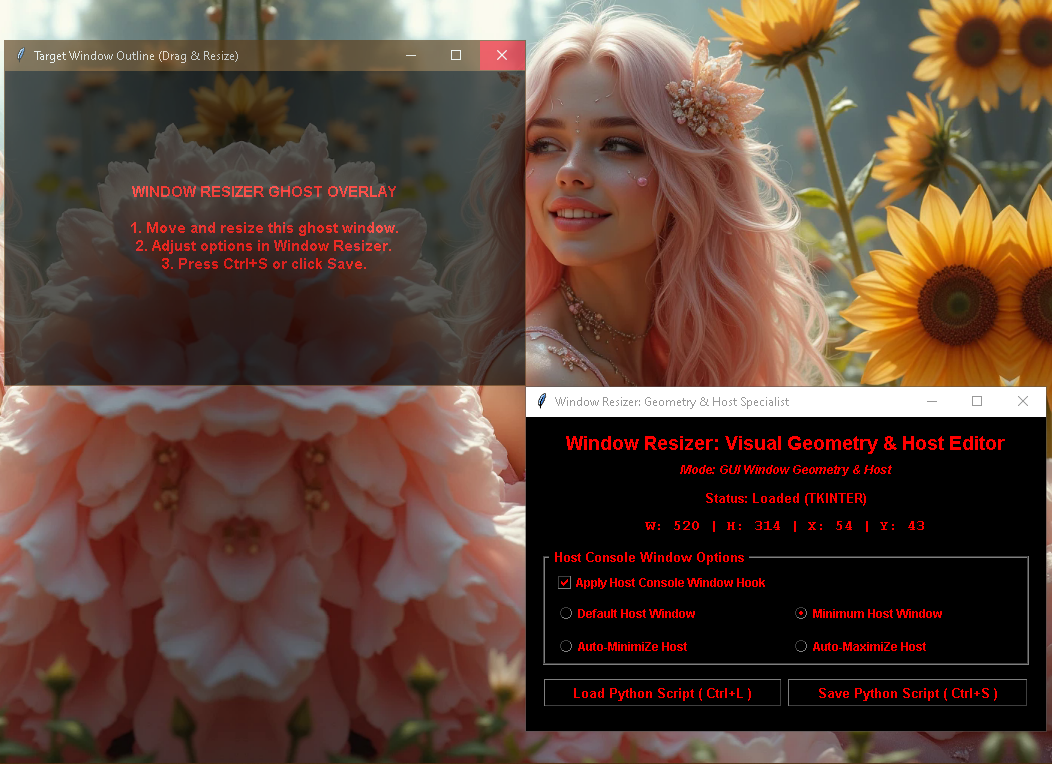
Upon loading any valid Python script, the application materializes a semi-transparent black-and-accent-colored Toplevel window (-alpha 0.65) that acts as a physical stencil floating above the desktop.
- Live Coordinate Readout: As the operator drags or scales the ghost window across the monitor, the main control panel updates its telemetry display in real-time (
W: [width] | H: [height] | X: [x-pos] | Y: [y-pos]). - Zero-Guesswork Positioning: Eliminates manual integer guesswork entirely. The creator simply frames the desired window dimensions visually using the ghost outline, locks in the position, and hits
Ctrl+Sto bake those exact coordinates permanently into the source code text.
Download
Install instructions
Everything i do is Cc-Zero (absolutely free)...
~~~Joker~King~~~
~Bhodi Satfur Maetraous / David Aaron Stinson & Gemin8 AI

Leave a comment
Log in with itch.io to leave a comment.